Detected May 28, 2026
Integrations updated
Shopify Admin

Pricing - OtherBy Atomic POSUpdated February 19, 2026
Shoplist has not found Surchi: Fees and Surcharges on a storefront yet, so it tracks the app through pricing and listing changes instead. Storefront detections will appear here as soon as Sonar finds them.
Store movement comes from Sonar's storefront scans; listing changes come from the Shopify App Store page.
App Store listing
Get alerted on first storefront installs, review spikes, pricing changes, and listing edits.
Detected May 28, 2026
Detected May 25, 2026
Apps merchants weigh against Surchi: Fees and Surcharges, with their own detected stores and ratings.
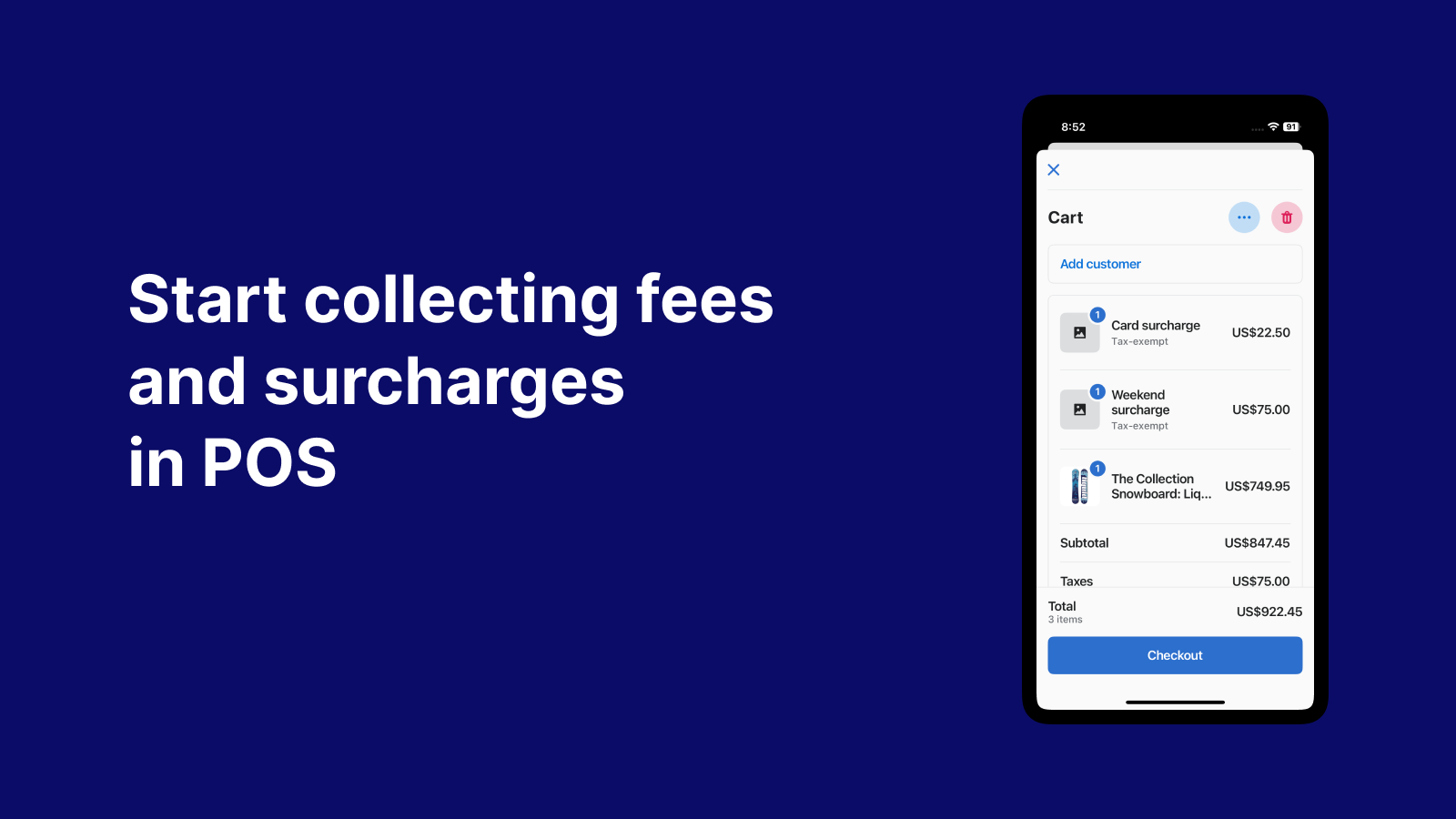
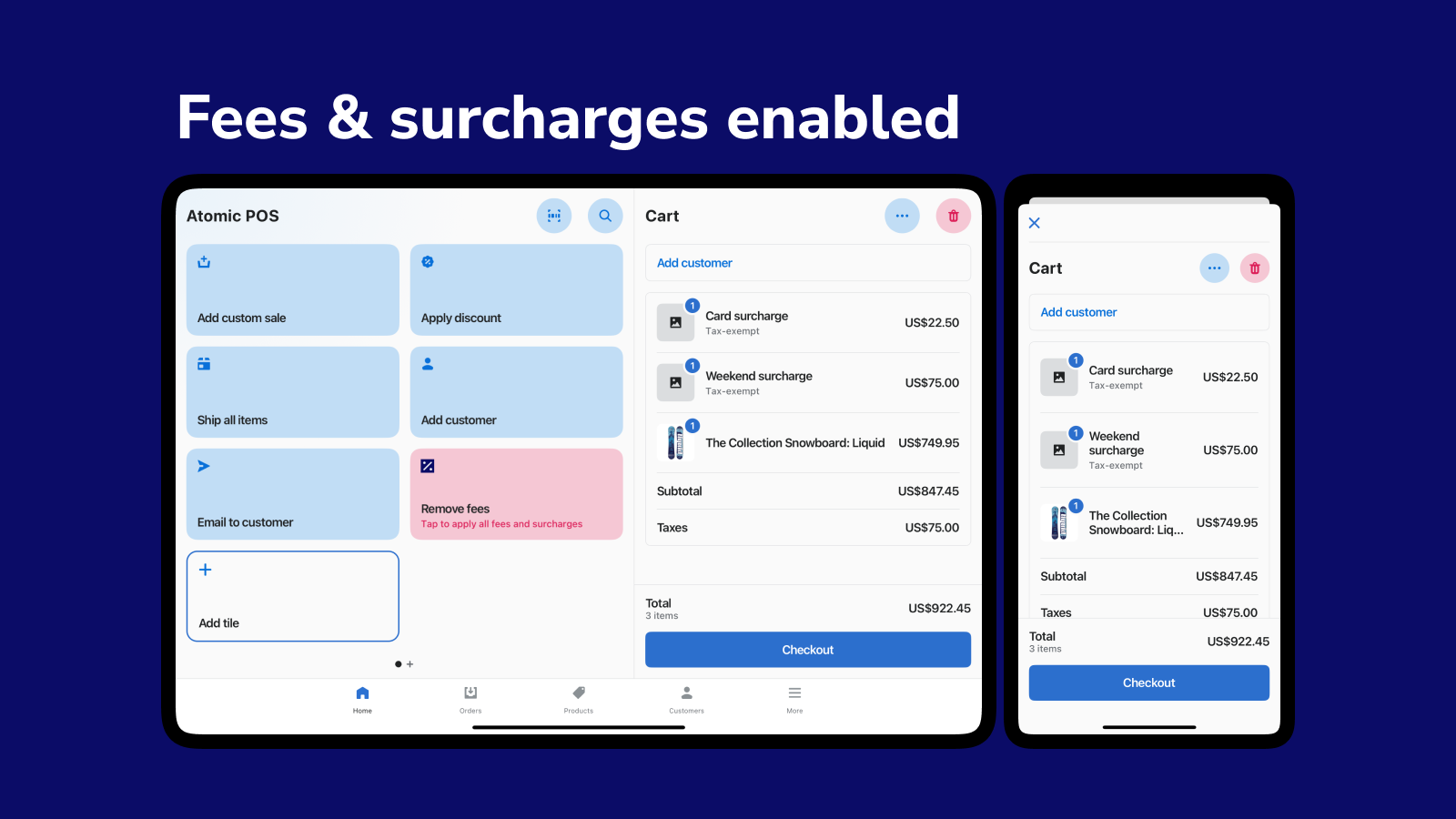
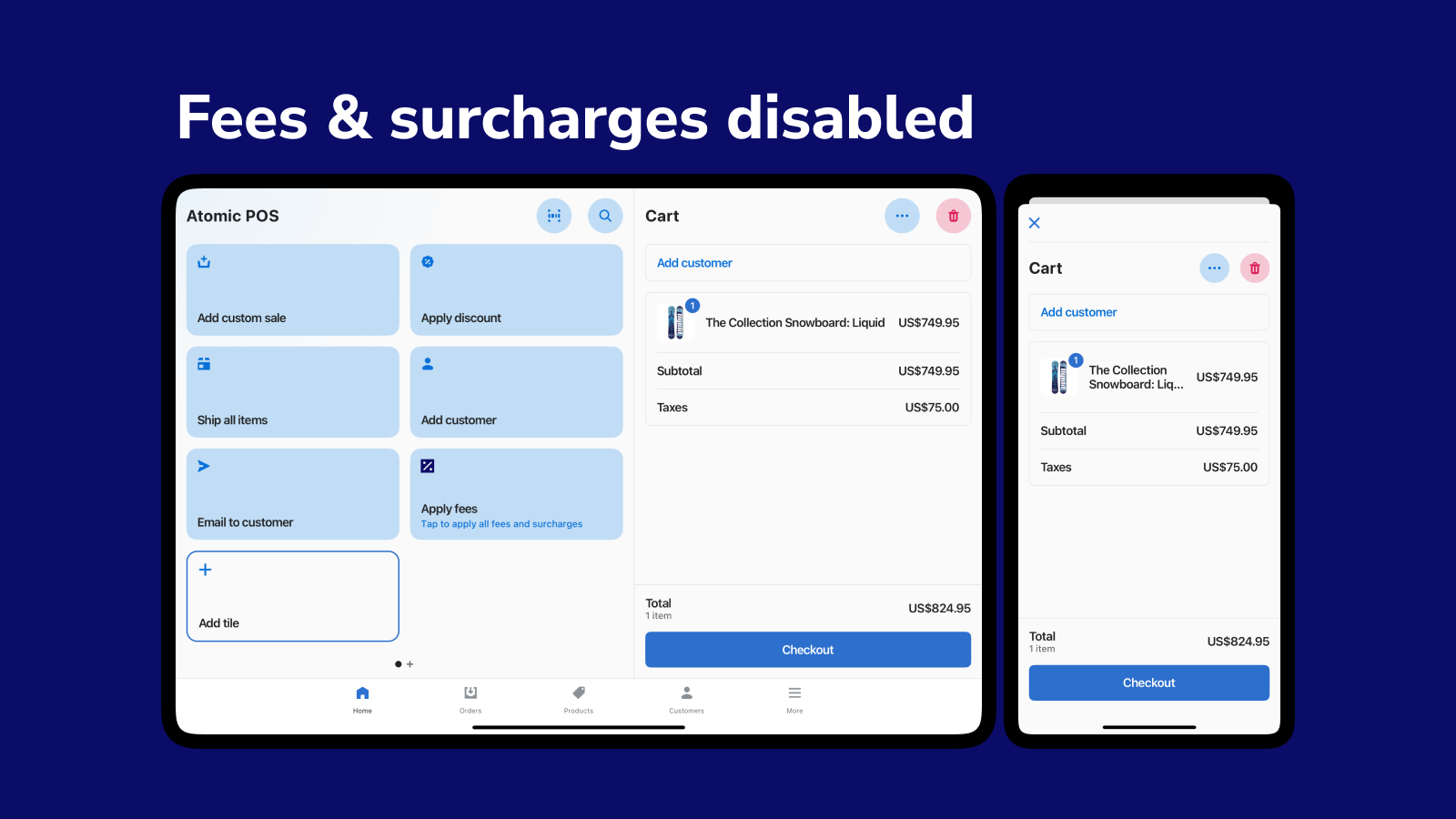
Start applying additional fees and surcharges directly in POS with a single tap.
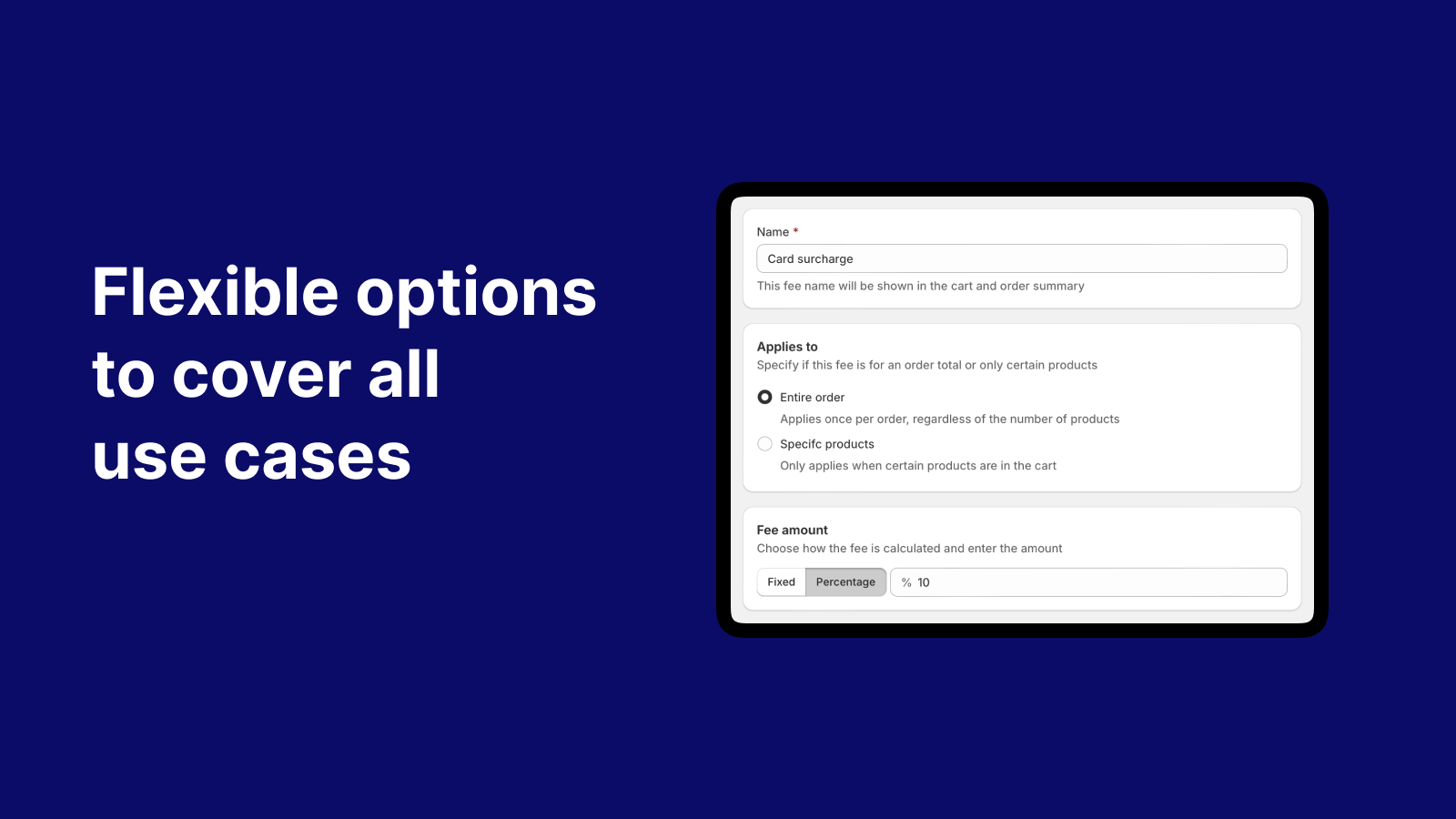
Surchi: Fees and Surcharges makes it easy to apply extra fees in Shopify POS. Just tap the tile to enable it, and fees will automatically adjust as the cart updates. Set fees as a fixed amount or percentage, apply them to the entire order or specific products, and even limit them by location. The app works with discounts and keeps fees accurate as items are added or removed, giving you full control over surcharges without extra steps.
Every number on this page comes from public storefront scans and the public Shopify App Store listing. If Shoplist shows Surchi: Fees and Surcharges on a store, it is there.
Read the data methodologyCompare
Detected stores, ratings, pricing, and momentum side by side.
Developer
Every app Atomic POS publishes, with their detected reach.
Rankings
The ten apps gaining the most detected installs in each category.
Directory
Browse every app Shoplist tracks, by category, rating, and reach.


